

The Measurement ID identifies your website’s data stream in Google Analytics 4. It tells your tracking which GA4 property should receive visits and events.
What you are looking for: a code in the format
G-XXXXXXXXXX. Do not confuse it with a GTM container ID, which starts withGTM-.
Before you start
You need access to the Google Analytics property used by the website. If there are several properties or streams, confirm the website domain before copying the ID.
How to find the GA4 Measurement ID
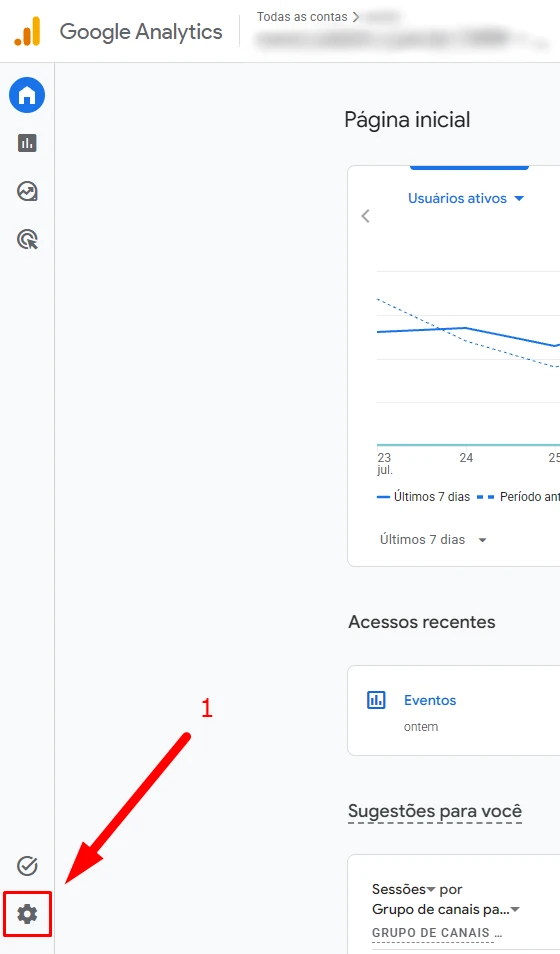
Open Admin
Sign in to Google Analytics and click Admin in the lower-left corner.
Open Data streams
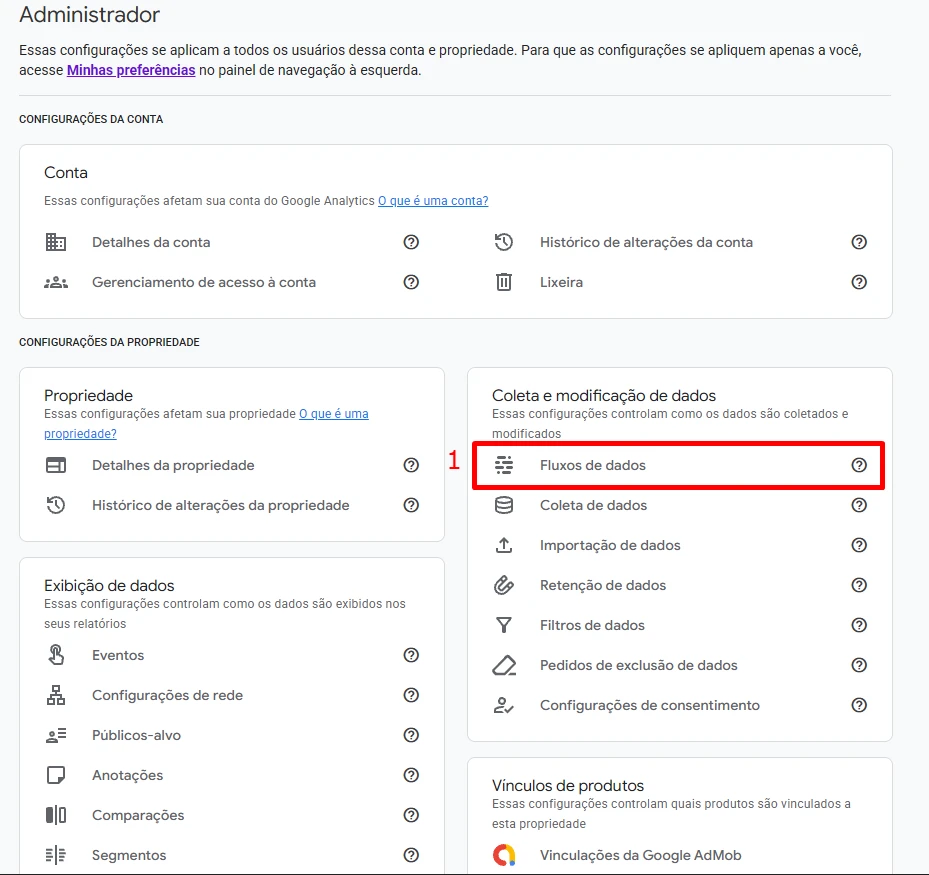
Under the property, find Data collection and modification and select Data streams.
Select your website’s Web stream
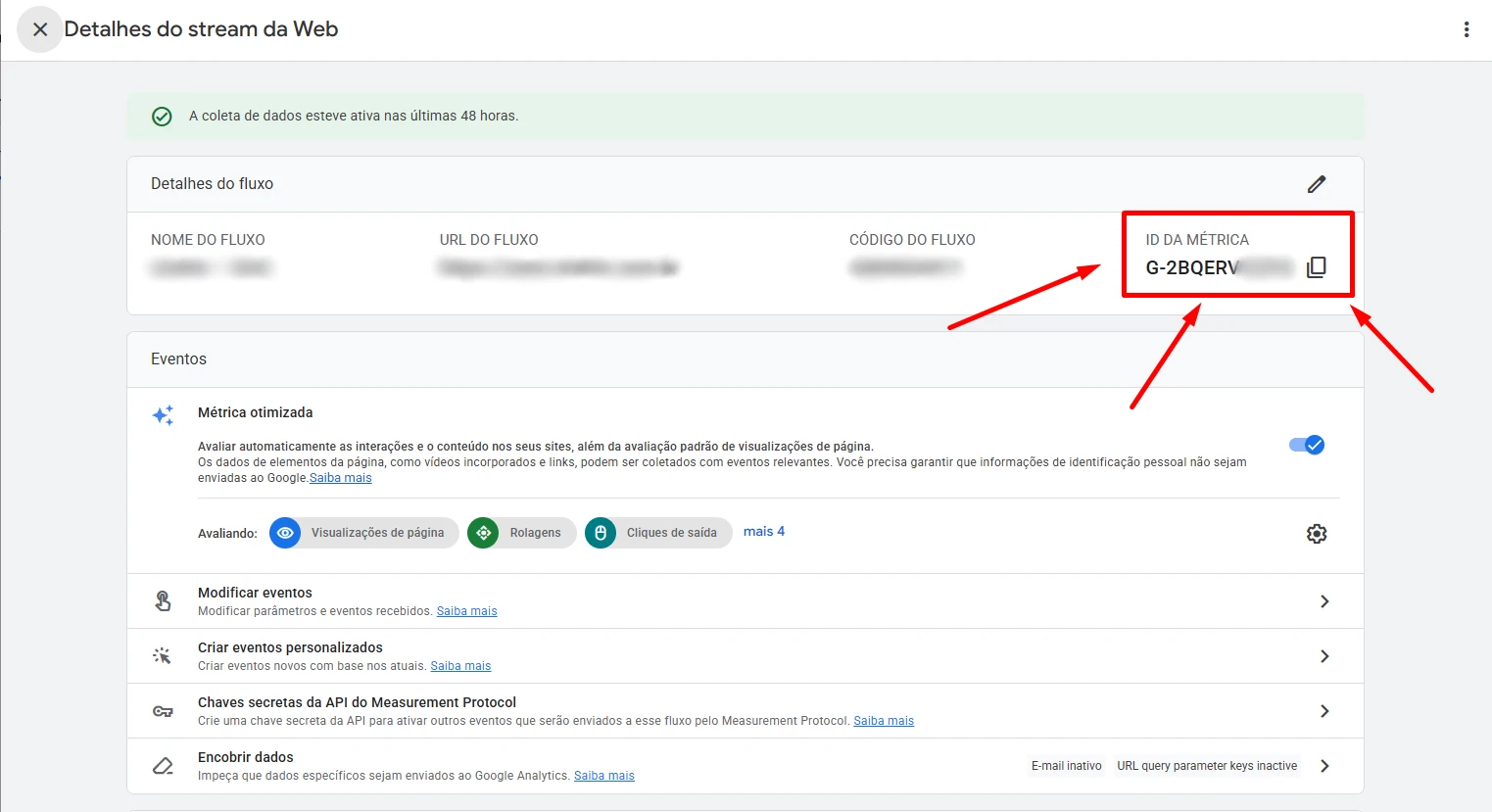
Choose the stream whose URL matches the website you want to measure.

Copy the Measurement ID
In the stream details, find MEASUREMENT ID in the upper-right corner and copy the code beginning with G-.
Where to use it in ETM
Select Google Analytics 4 as a destination in Easy Tag Manager and paste the ID into the requested field. ETM prepares the tags in a workspace for you to review before publishing.
Quick check
- The ID starts with
G-. - The selected stream shows your website domain.
- It is not a
GTM-container ID or only the Analytics property number.
Found what you needed?
Open ETM, choose your GTM, and use this information to prepare the tracking.