

Every result measured in Google Ads—such as a purchase or form submission—has a conversion ID and a conversion label.
You need both values. Copying only one is not enough to configure that conversion.
Before you start
Confirm which result you want to measure. One account may contain separate actions for purchases, leads, WhatsApp, and other conversions.
How to find the ID and label
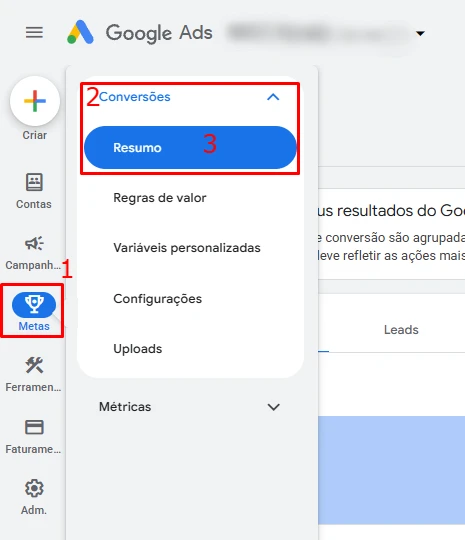
Open the conversions summary
In Google Ads, go to Goals → Conversions → Summary.
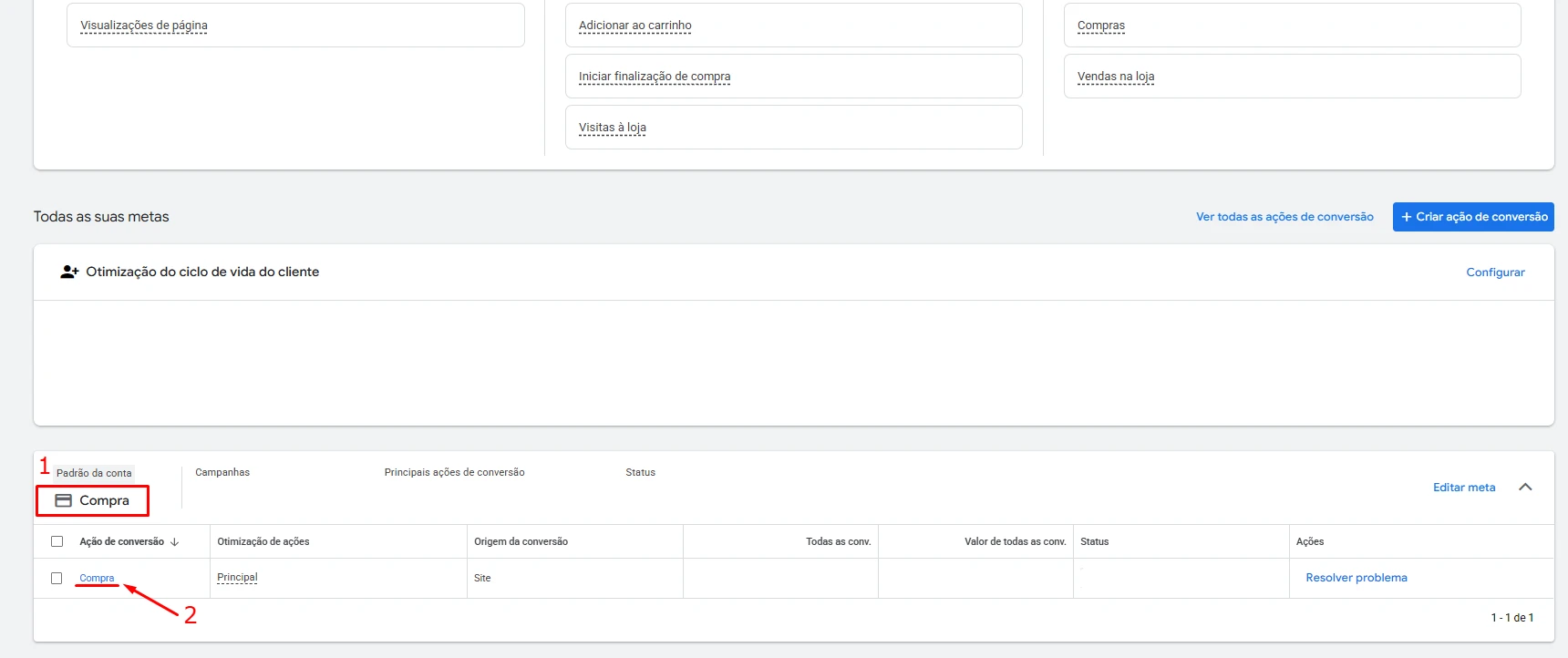
Select the correct conversion action
Click the action you want to configure. Use its name and category to distinguish, for example, a purchase from a lead.
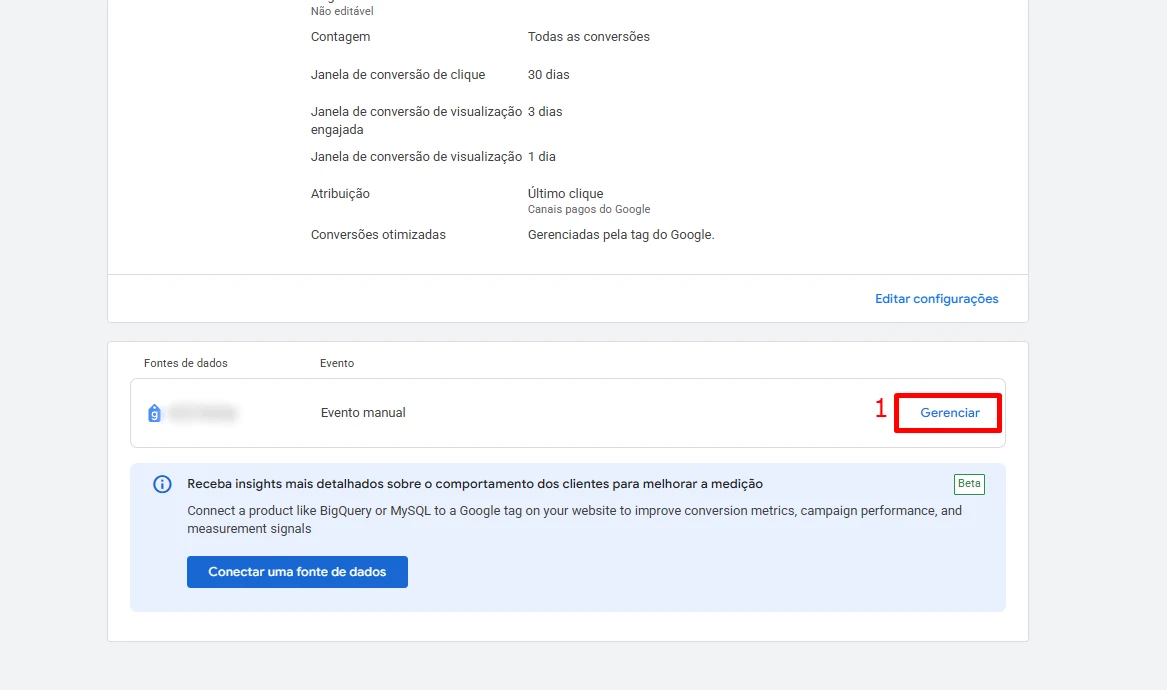
Open the tag instructions
In the conversion details, find the tag setup area and open the management instructions.
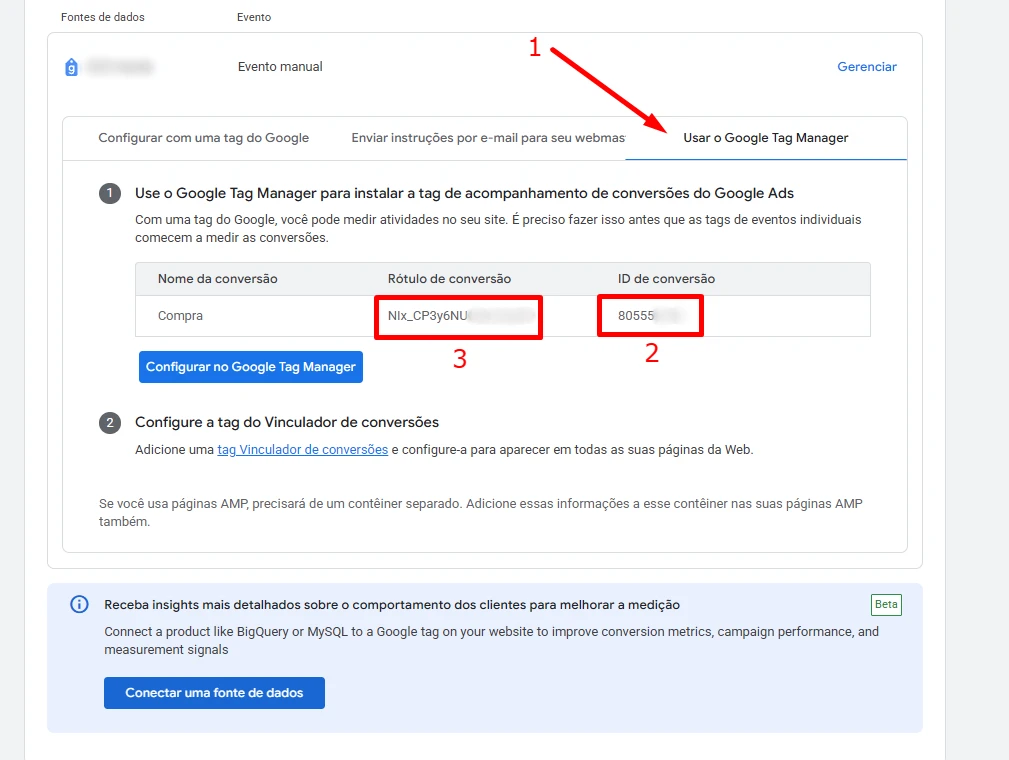
Choose Google Tag Manager and copy both values
Select Use Google Tag Manager, then copy the Conversion ID and Conversion label separately.
Where to use them in ETM
When selecting Google Ads as the destination for a lead or purchase, paste each value into its matching field. Make sure the ETM action represents the same conversion you opened in Google Ads.
Found what you needed?
Open ETM, choose your GTM, and use this information to prepare the tracking.