

The Pinterest Tag ID identifies the event source for your website. Server-side events also use a secret Conversions API token.
How to find the Pinterest Tag ID
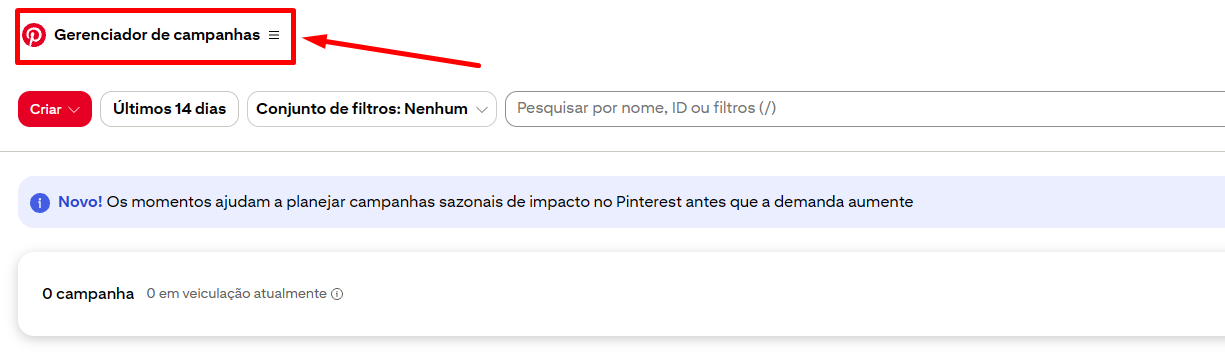
Open Campaign Manager
Sign in to the Pinterest business account and open Campaign Manager.
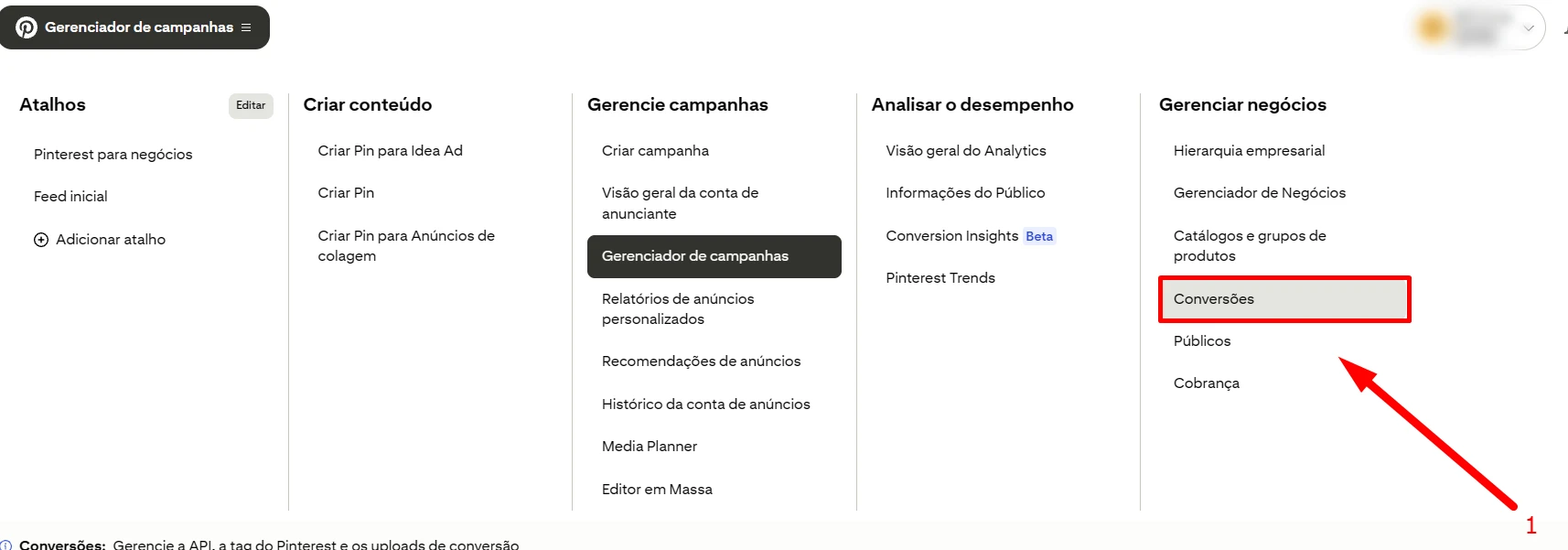
Open Conversions
Go to Business → Conversions in the top menu.
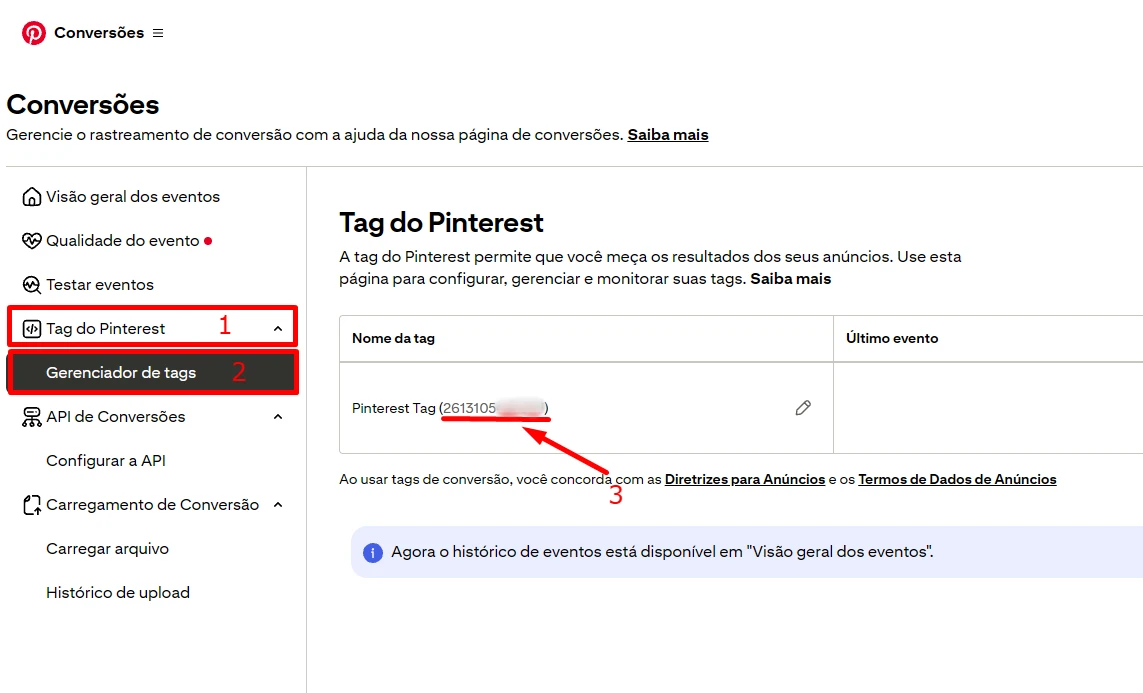
Choose Tag Manager and copy the Tag ID
Under Pinterest Tag, select the Tag Manager installation option. Copy the numeric Tag ID shown in the instructions.
How to generate the Conversions API token
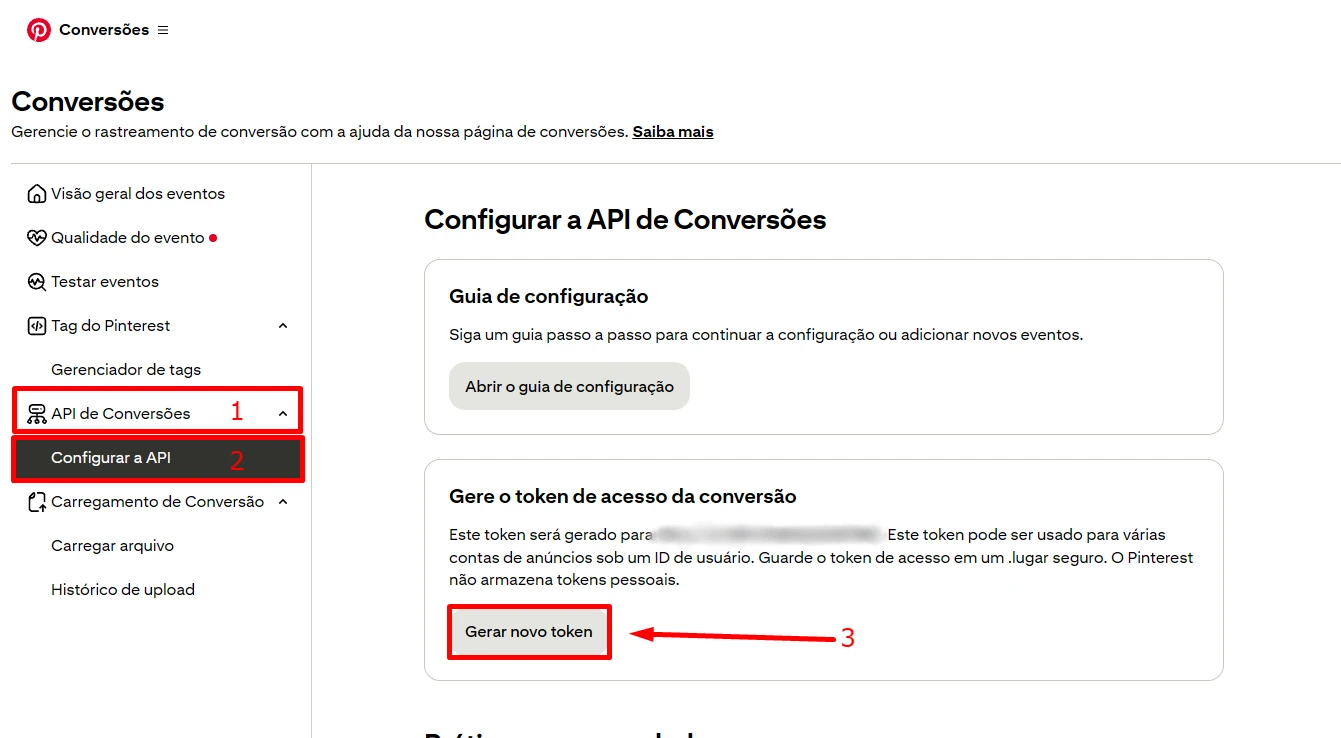
Open the API settings and generate a token
Open Conversion API, choose Set up API, and click Generate new token.
Where to use them in ETM
Enter the Pinterest Tag ID during Web implementation. ETM asks for the Conversions API token when you configure server-side tracking.
Found what you needed?
Open ETM, choose your GTM, and use this information to prepare the tracking.