

The TikTok Pixel ID identifies the browser data source. Server-side tracking also requires a private Events API token.
How to find the TikTok Pixel ID
Open Ads Manager
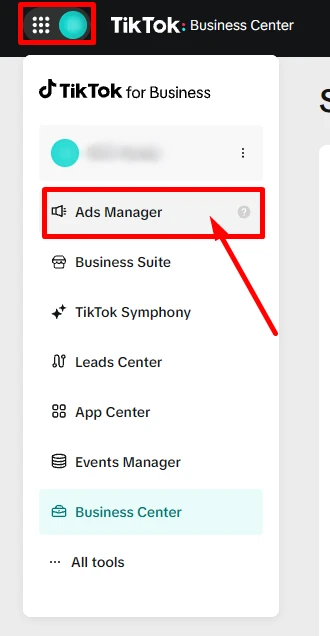
In TikTok for Business, open the apps menu and choose Ads Manager.
Select the ad account
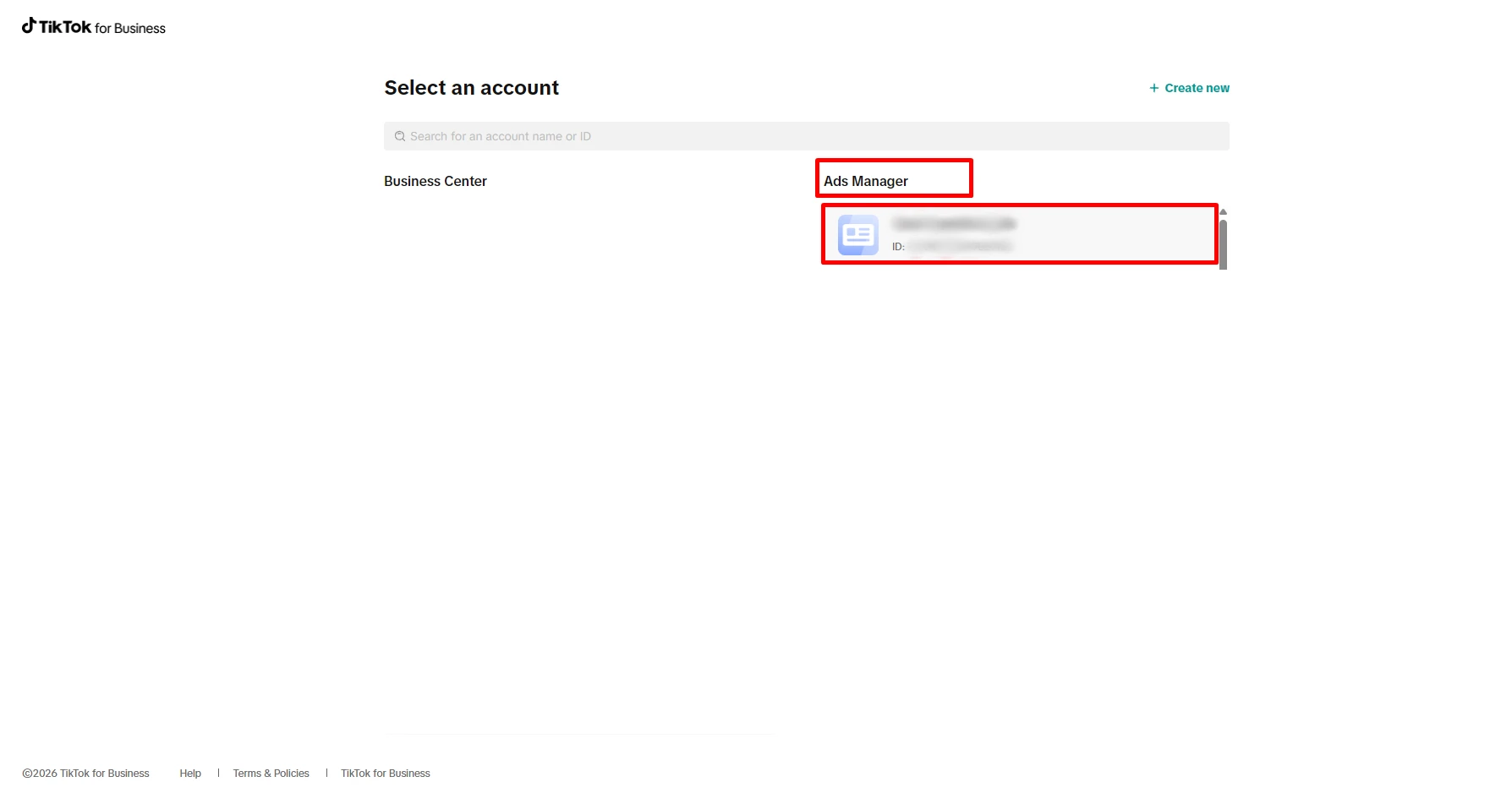
If your business has several accounts, select the one that receives events from this website.
Copy the Pixel ID
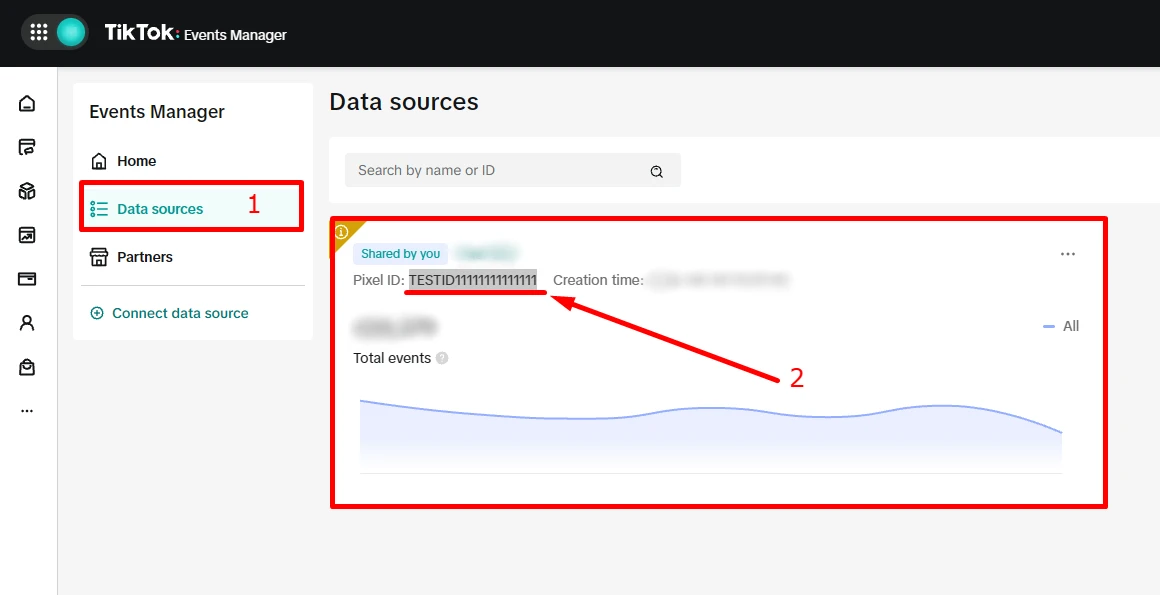
Open Events Manager → Data sources, select the website source, and copy its Pixel ID.
How to generate the Events API token
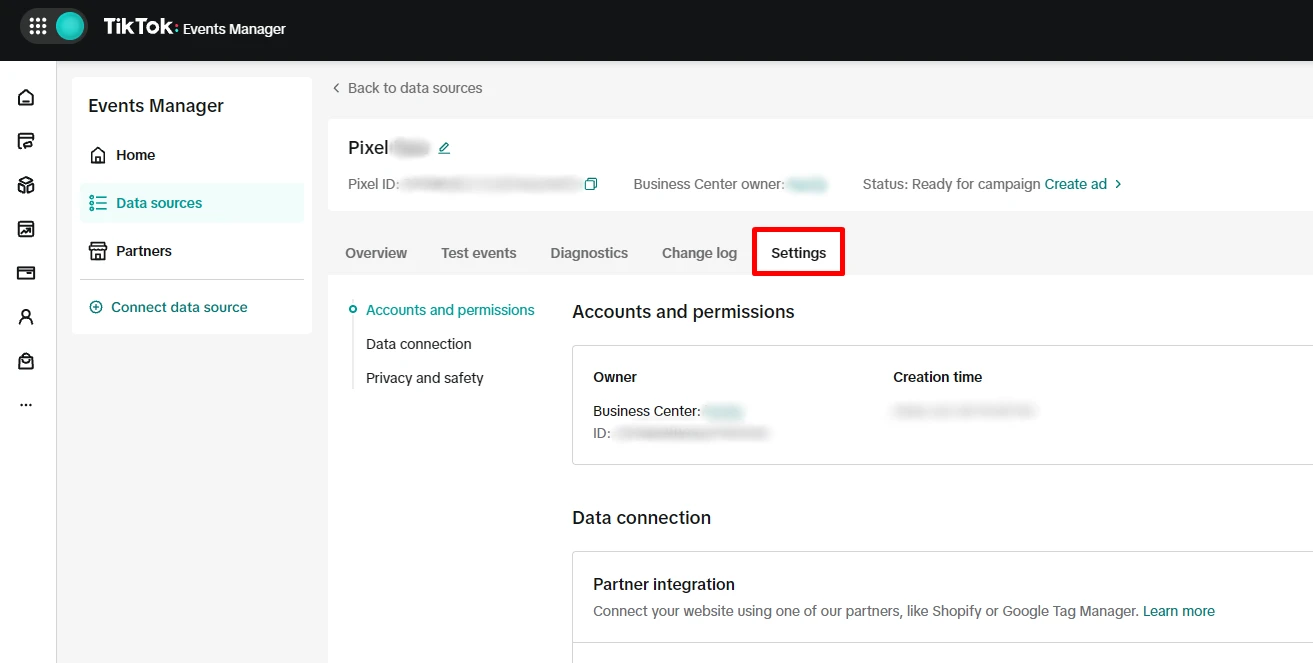
Open the Pixel settings
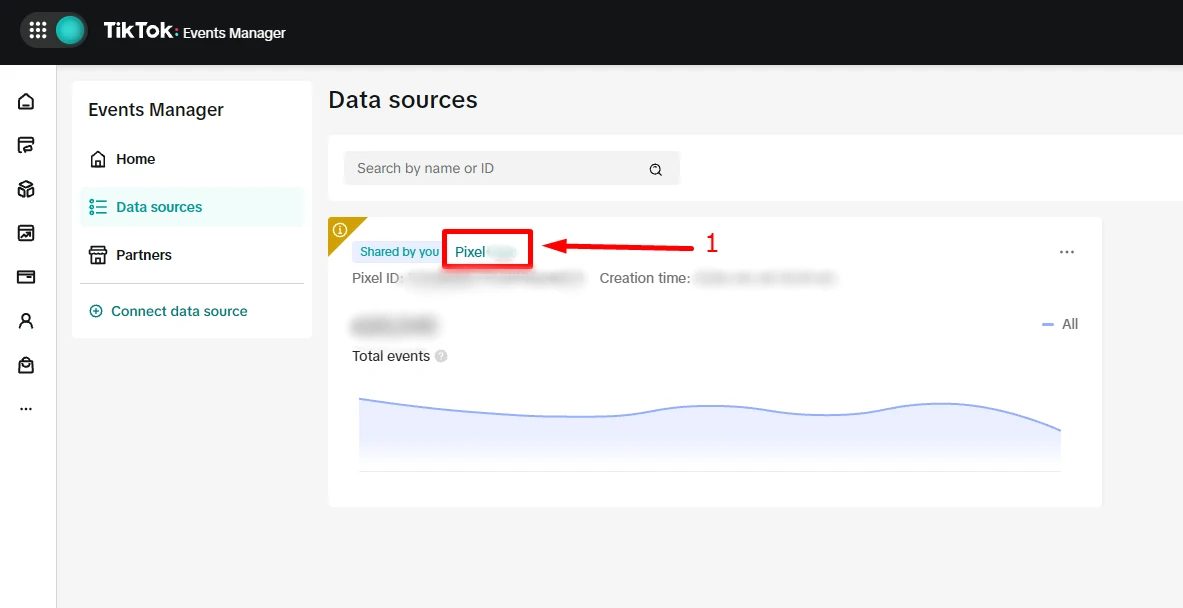
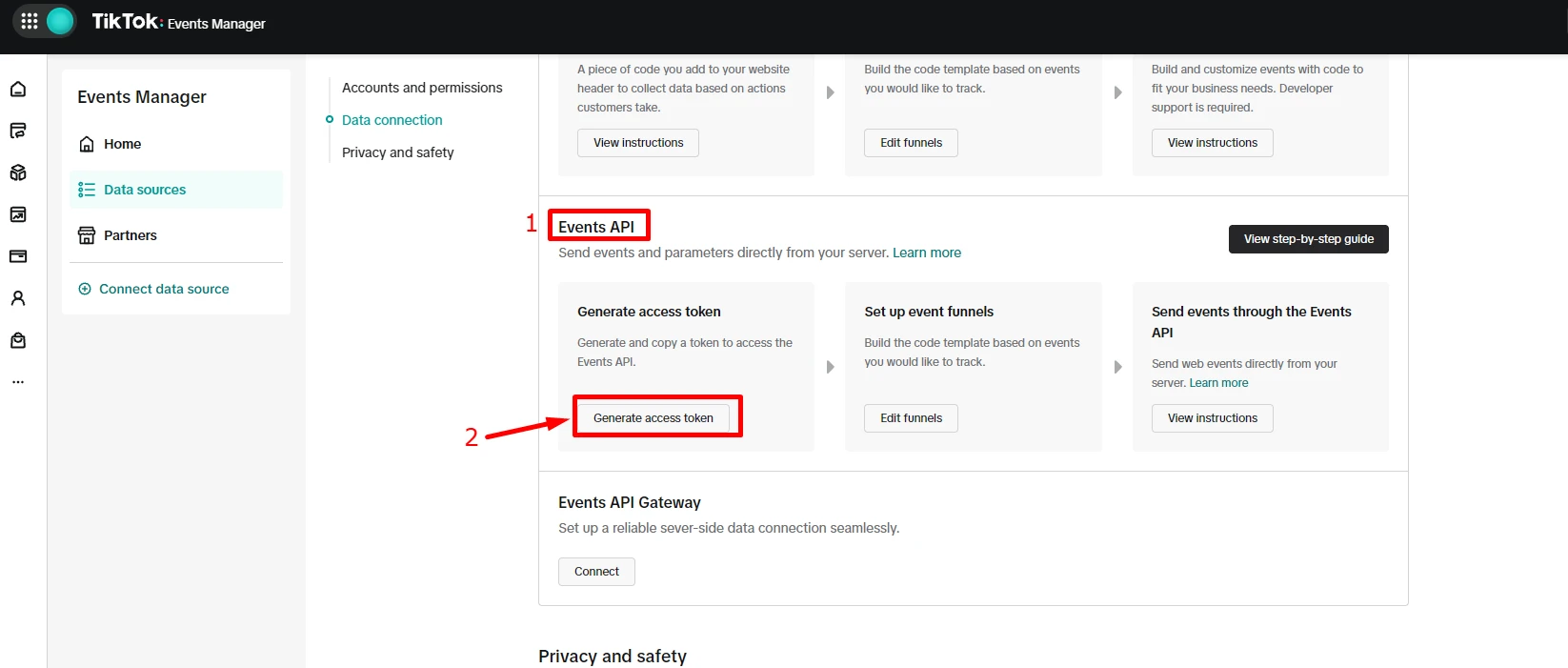
Select the Pixel, open Settings, then find Data connection → Events API.
Generate and copy the token
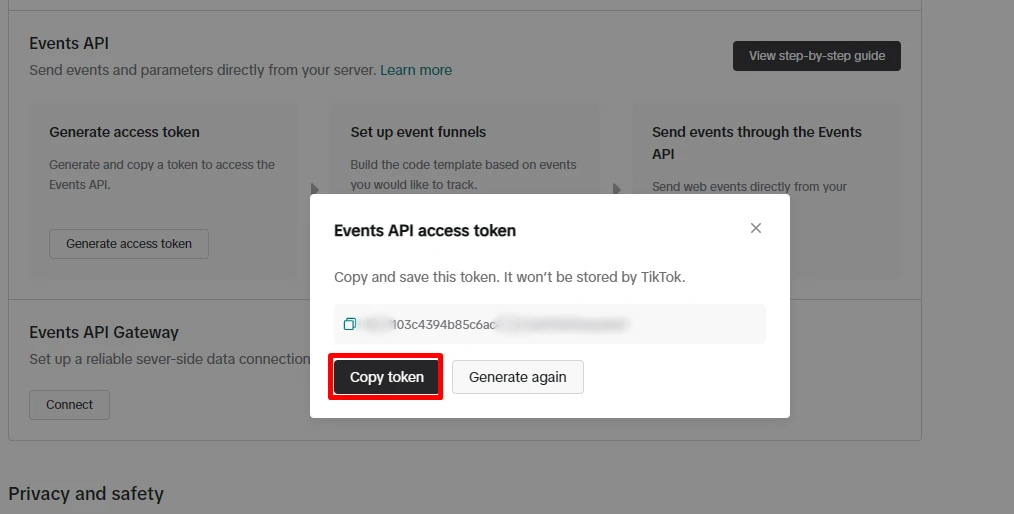
Click Generate access token, copy the value, and keep it secure.
Where to use them in ETM
Enter the Pixel ID for the TikTok Web destination. ETM asks for the Events API token during server-side setup when needed.
Found what you needed?
Open ETM, choose your GTM, and use this information to prepare the tracking.